🖐️ How to Play — Spell With Your Hands
Spelling, letter by letter, in the air: punch letter balloons with an open hand or grab them with a fist to build the word. The word banks are the real First Steps shelves.
🍎 For Teachers — Quick Start
Start it: Open Spell With Your Hands from the games shelf, or push it into a live room from the Lesson Shelf. The centre-piece spelling game: the word is spelled in the air, by hand. Each student plays on their own device; the camera picture never leaves it.
Set it up
- Pick the words: 🐣 First Steps (84 CVC words), 👀 133 Sight Words (the full shelf), 🎉 Celebration, or ✏️ My Words — paste this week's spelling list and tap 'Use my words'.
- Teach the two hand shapes before the first word: OPEN hand = punch a balloon; FIST = grab it and bring it home. The game reads the hand back on screen, so students learn fast.
- Wrong letters are never punished — a wrong punch costs nothing and the word simply waits. Guessing is safe.
Your controls
- 📷 Start my camera — open hand = punch, fist = grab. The game reads the student's hand back to them on screen, so they can see what the camera saw.
- 👆 Play by tapping — the complete game by touch.
- ↻ New word — the next word from the same source.
- 🌿 Calm view — stills the bursts and the hand overlay on that device.
Sitting down & low mobility
Designed for hands in a chair. Punching and grabbing happen at camera height in front of the student; tapping needs nothing at all.
When the camera says no
No camera or a refused camera: 'camera said no — that is always okay', demo mode comes on, and tapping the letters spells the whole word. The lesson never stops for a camera.
🧒 For Students — How to Play
- 1
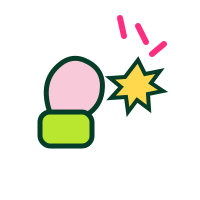 Look at your word. Say its letters out loud.
- 2
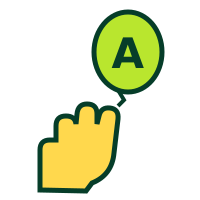 Find the first letter's balloon.
- 3
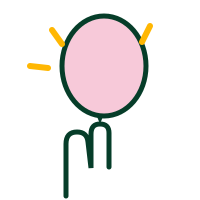 PUNCH it with an open hand! Or GRAB it with a fist!
- 4Watch — the game tells you what your hand did.
- 5Letter home! Now the next letter. Spell the whole word!
- 6No camera? Tap the letters. Same spelling.
🏆 Bring every letter home and the word is spelled — by YOUR hands. Then tap ↻ New word and spell another.
💚 You can't lose, and a wrong letter is never punished. The word just waits for its next right letter.
🪑 Sit and spell. Your hands do all the work, right in your chair.
🛟 When Something's Stuck
🖐️ Open Spell With Your Hands ❓ All tutorials
TutorMoore Tutorials · Teacher quick-start, student how-to and the stuck-card — one page, three teachings.